
The GFI Theme has been updated with a new feature that allows for audio uploads (mp3, wav) to be placed next to a team member’s name. When an audio file is uploaded, a button appears next to the team member’s name.

This feature was requested by GFI Europe as an inclusive effort to help learn how to correctly pronounce the names of team members. To utilize this feature, administrators can upload an audio file to the individual team member’s page.
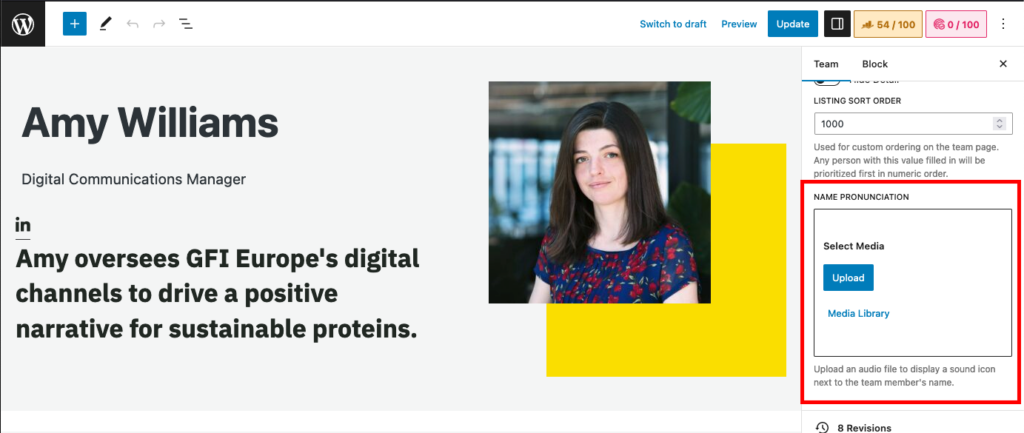
An additional update has been made to decrease the font size if the team member’s name exceeds 15 characters to allow for the name to fall on one line neatly alongside the audio button as seen below.

Team members can record their own names if desired, or utilize AI technology to produce an audio recording of their name. Administrators should take into consideration volume levels and audio quality when creating a file. An example of the feature in practice can be viewed here.